Panorama Modes in the Surround Editor
 Sound Field Mode
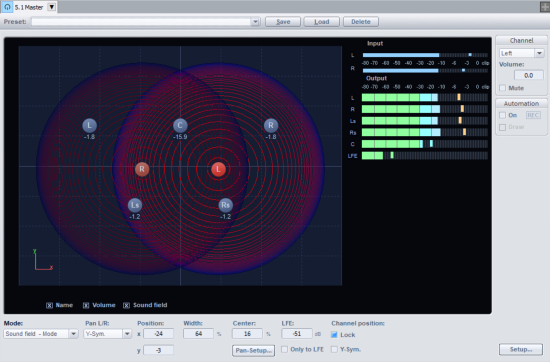
In Sound Field Mode the input signal is displayed as a concentric sound field. Each red line corresponds with a 3dB drop in the sound field level. The loudspeakers are positioned in such a manner that the distance from a single loudspeaker to a neighboring speaker remains constant. This positioning permits a uniform distribution of the sound source across all channels. Level ratios develop between the channels, which could not be achieved in other modes.
Example of use: Very accurate localization, particularly for movements.
For movements in constant direction (e.g. overflight of a jet) level conflicts may occur - for this the Angle mode is more suitable.
Width: This parameter influences the sound field width of the loudspeakers.
Pan Setup…: The sound field characteristic can be adjusted smoothly. "Invers. logar." produces a quick drop of the sound field and short fades between loudspeakers. "Logarithmic" provides a slow reduction of the sound field and longer transitions between speakers.
Channel position: By default, the positions of the speaker channels are fixed in the control panel against accidental shifting. If you deactivate the option Lock, you can move the speakers freely in the sound field. You can then additionally activate the option Y-Sym., then when moving one channel, the associated other channel will be moved symmetrically to the Y-axis.
Panning-Law Mode
This mode uses a surround panorama display familiar from many digital mixing consoles.
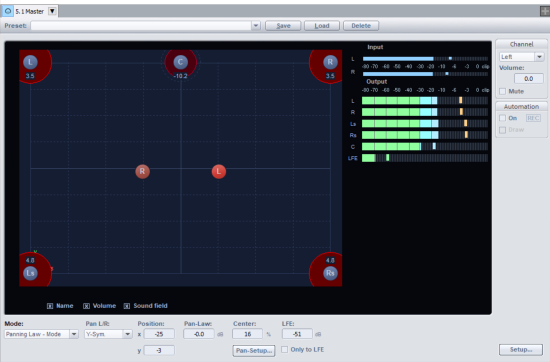
The positions of the speakers are shown at the outer edges of the usable panorama. By clicking the "Sound field" option, you can visually display the graphical levels displayed across the Surround channels. The level distribution between two neighboring loudspeakers follows the -3 dB law, which means that a sound source directly in the middle of two neighboring loudspeakers will be emitted at a level of -3 dB.
Example of use: Static 2-dimensional panning, basic rough localization.
Because Panning Law Mode does not enable 100% exact localization, it is not suitable for dynamic panning (e.g. Automation).
Pan Law: To compensate for volume fluctuations when panning, you can additionally lower the volume in the pan center position here.
Angle Mode
Here a sound field is displayed that radiates from the middle point of the circle. The sound source is located on the middle axis of this sound field. The loudspeakers are arranged on a sphere. The level components of a sound source on the respective channels are determined by the angle ratio between the sound source and the loudspeaker as well as the opening angle of the sound field. If the angle of the sound source and the channel correspond with each other (i.e. the middle axis of the sound field is pointing directly at the loudspeaker: angle difference = 0), the level of this channel is highest. The level on a channel drops as the angle difference increases.
Example of use: Good localization of direction of movements (e.g. jet flying overhead). Angle Mode is less suitable for distance panning.
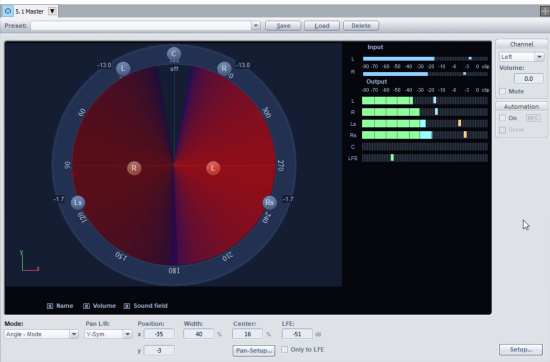
Width: This parameter determines the size of the sound field opening angle.
Pan Setup…: The sound field characteristic can be adjusted smoothly. "Invers. logar." produces a quick drop of the sound field and short fades between loudspeakers. "Logarithmic" provides a slow reduction of the sound field and longer transitions between speakers.
Pan Setup – Maximum sum output level constant: If this function is selected, the maximum level of all channel outputs of the Surround Panorama Module will not exceed the set value. In angle mode, this avoids level drops of the sound field during movements in connection with large opening angles.
Matrix Mode
In Matrix Mode you can directly enter the level that will go from the input signal to the individual Surround channels.
Double-click on the number field to enter values manually. You can also adjust the levels by dragging them with the mouse. For very fine adjustments, hold down "Shift" key while doing this.
Examples of use: Analytical tasks like routing after track bouncing or simultaneous distribution of a signal over several Surround channels. Distribution over 3-dimensional alignments, e.g. 2+2+2 setup.
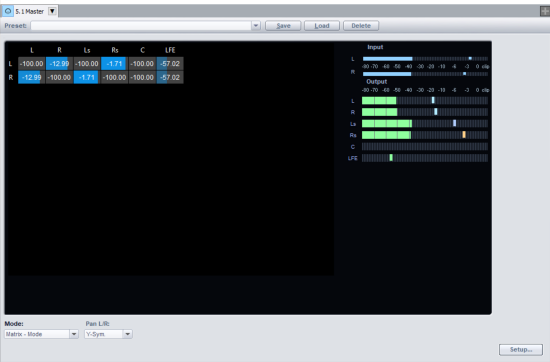
Differing from the other modes, the settings of Pan L/R in Matrix mode have the following meaning.
Pan L/R Mono: The levels of the left and right input signals are adjusted together.
Pan L/R Stereo: The levels of the left and right input signals can be adjusted individually.
The remaining "Pan L/R" settings do not apply. No mirror sound sources will be formed.
VBAP
The VBAP mode (Vector Based Amplitude Panning) is characterized by a higher precision when generating phantom sources. It can be used as an alternative for the Sound field mode or the 3D Sound field mode.
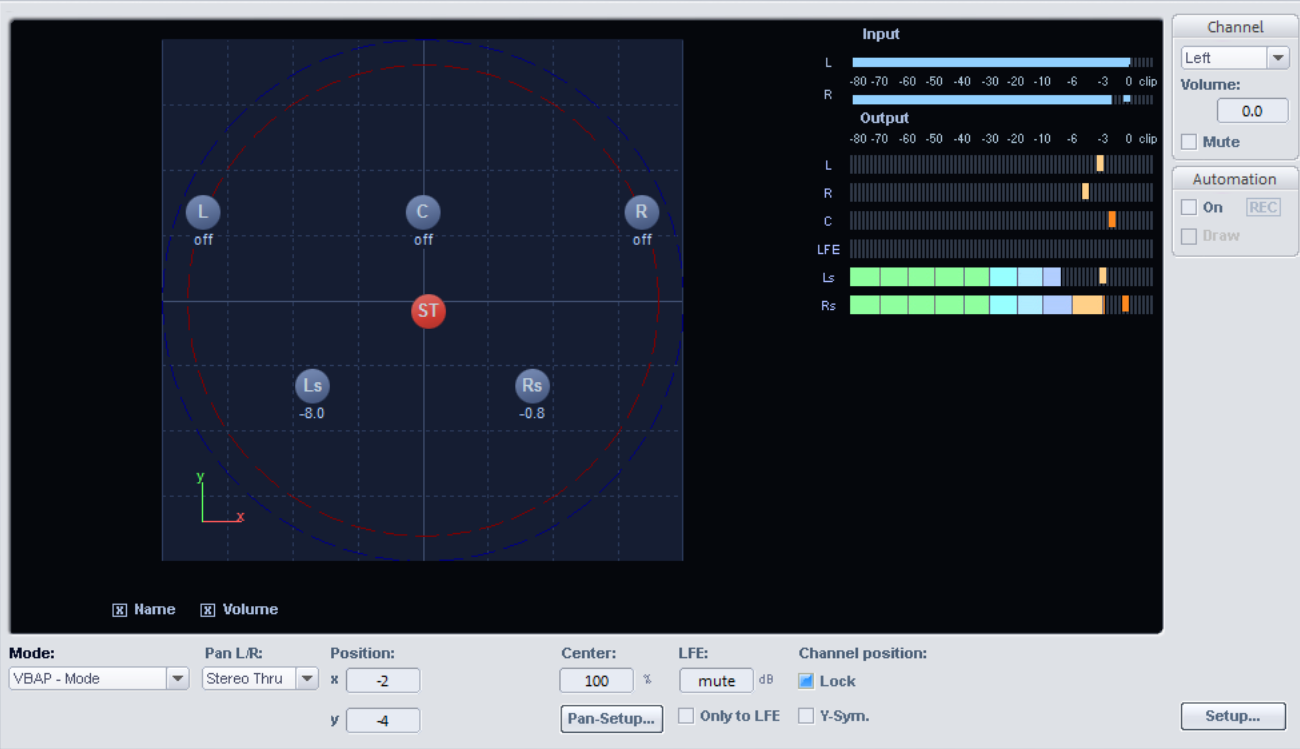
The operation differs from the sound field mode only in the point that no specification of the width of a loudspeaker sound field is required.
3D Surround (Sound field/VBAP)
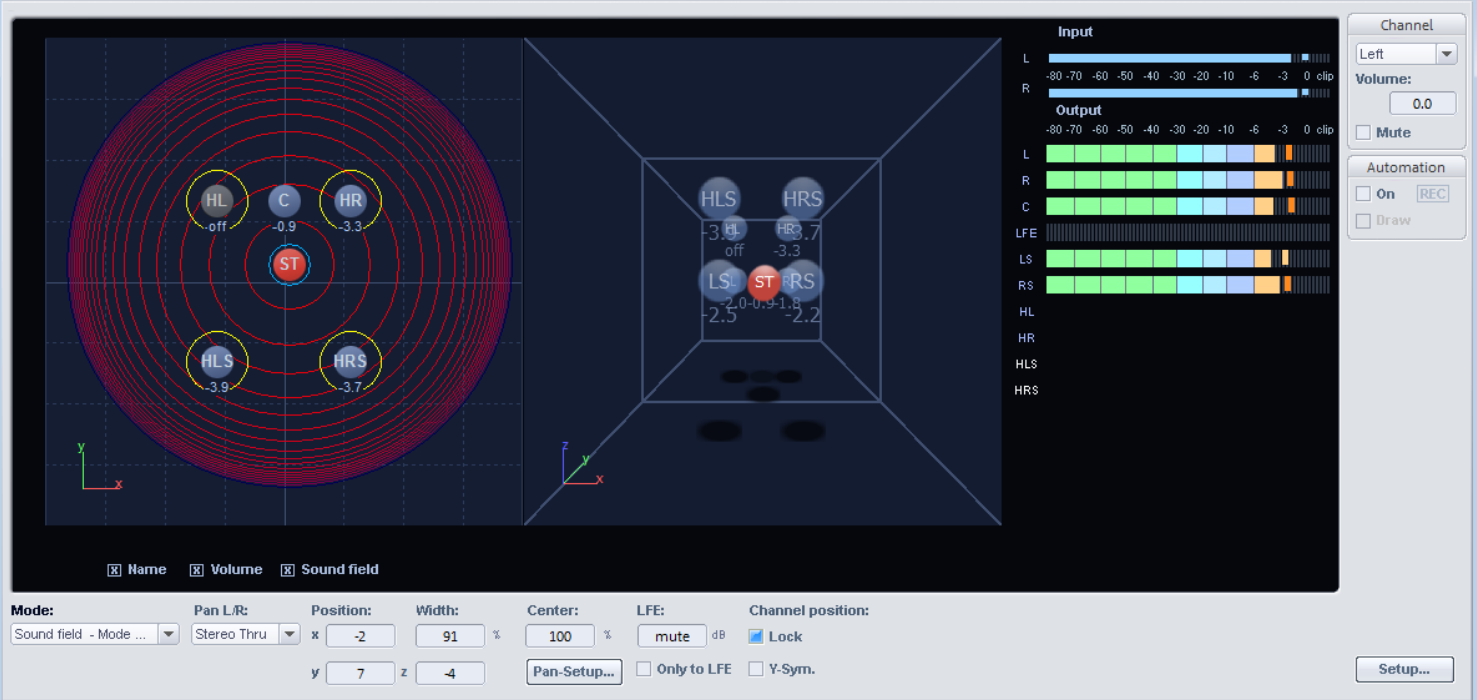
The 3D Surround modes of the Surround Editor, which are available for the Sound Field Mode and VBAP modes, differ from these only in the addition of a 3rd coordinate z to indicate the height of the sound source.
To the right of the top view there is a second, spatial display for the visual adjustment of the height coordinate.